Guide · Excel vs software
Excel model vs underwriting software.
Use an Excel underwriting model when the deal is a one-off or the structure is unusual enough that you need to write the logic yourself. Use underwriting software when you underwrite deals repeatedly and need the same tested math, reconciled imports, and an audit trail on every one. The best setups do both: the model runs in software and the deliverable still goes out in Excel.
Excel fits when
- The deal is a one-off you will not repeat.
- The structure is unusual enough that you need to write the logic yourself.
- The reviewer will only accept their own template.
Underwriting software fits when
- You screen and underwrite deals every week, not every quarter.
- More than one person touches the model and you need to know who changed what.
- You want every rent roll and T-12 checked against its own totals before it drives a number.
Excel model vs Nivora, feature by feature
What each does by default. Excel can be made to do almost anything; the left column is what it does unless someone builds and maintains it.
| Feature | Excel underwriting model | Nivora |
|---|---|---|
| Rent roll and T-12 import | Copy and paste, then re-map columns for each property-management export | CSV and Excel exports auto-map; mappings your team confirms are remembered |
| Checking the import | Whatever tie-out checks you build into the template | Reconciled against the statement’s own totals before you confirm |
| Calculation reliability | As reliable as the last person who edited the formulas | One engine guarded by 300+ automated invariants |
| Change history | File versions, if someone saves them | Every assumption change recorded per field and per user |
| Flexibility | Unlimited: any structure you can write | The structures the engine models, including the LP/GP waterfall and preferred equity |
| Audience-specific outputs | Separate tabs or copies you maintain by hand | Investor, lender, and internal workbooks; lender version excludes sponsor economics |
| Cost | Included with the software most teams already have | $79/month per underwriter, 30-day free trial |
Where a spreadsheet model costs you
The cost of an Excel model is rarely the formulas. It is the work around them: re-mapping every property-management export, tying the rent roll to the T-12 by hand, and finding out which version of the file the investment committee saw. A spreadsheet will calculate a pasted-over formula or a missed expense line without complaint.
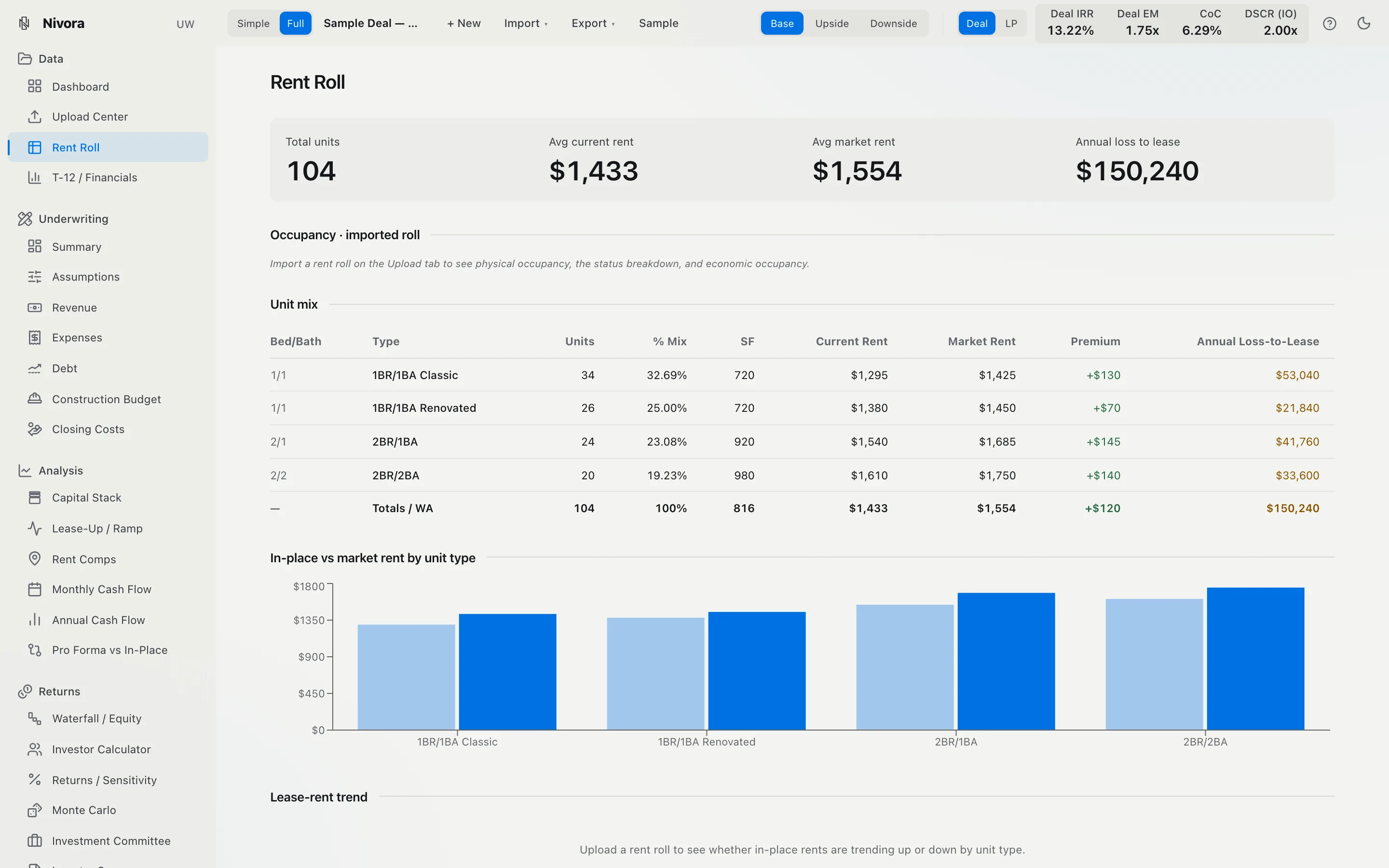
Underwriting software moves that work into the product. In Nivora, imports are checked against the statement’s own totals before you confirm them, so a missed line shows up as a visible discrepancy (see how to read a T-12). The math runs on one tested engine, the same math behind the free calculators, and every assumption change is recorded with who made it.
What you give up is unlimited flexibility. If your deal needs a structure the engine does not model, Excel is the honest answer. For choosing between platforms, read the buyer’s guide to underwriting software.
Should I underwrite multifamily deals in Excel or in underwriting software?
Use Excel when the deal is a one-off or the structure is unusual enough that you need to write the logic yourself. Use underwriting software when you screen and underwrite deals repeatedly and need the same tested math, reconciled imports, and an audit trail on every one. Many teams do both: the model runs in software and the deliverable still goes out as an Excel workbook.
What is the difference between an Excel underwriting model and underwriting software?
An Excel model is a template you maintain: you re-map each rent roll and T-12 by hand, the formulas are only as reliable as the last edit, and nothing records who changed an assumption. Underwriting software is a maintained engine: documents import into a fixed structure, the calculations are tested, and changes are logged. The trade is flexibility for repeatability.
What real estate underwriting software replaces Excel models?
Underwriting platforms replace the modeling step and keep Excel as the output. Nivora, for example, imports the rent roll and T-12 (or extracts a broker offering memorandum), reconciles them against the statement’s own totals, and builds the pro forma, debt, IRR, DSCR, and LP/GP waterfall on an engine guarded by 300+ automated invariants, then exports investor, lender, and internal Excel workbooks.
When is Excel still the better tool?
When you need a structure no platform models, when you are building a one-off analysis you will never repeat, or when the person reviewing it will only accept their own template. Excel’s flexibility is real: anything you can write, it will calculate. The cost is that it will also calculate a mistake without complaint.
Do I lose Excel if I switch to underwriting software?
Not with Nivora. It exports investor-, lender-, and internal-formatted workbooks, with sponsor economics automatically excluded from the lender version. Teams that need it can export a live-formula workbook where every number is a native Excel formula, and a two-way Excel add-in keeps a sheet and the platform in sync.
How do I test underwriting software against my Excel model?
Run one deal you have already underwritten through both and compare them line for line: rent roll totals, T-12 NOI, debt service, and the returns. Differences usually trace to an assumption one side made silently, which is worth knowing either way. Nivora’s live sample deal runs the real engine in the browser with no login, so you can see the method before uploading anything.
Written by Nivora, which makes underwriting software; weigh it accordingly. See pricing for plans. Not investment advice.
The live sample deal runs the real engine in your browser: change an assumption and the pro forma, DSCR, IRR, and LP/GP waterfall re-price. If the metric is new to you, read how to underwrite a multifamily deal. Not investment advice.
See it on a real deal.
In Nivora this runs off your actual rent roll and T-12: the full monthly model, reconciled to the penny. See it live on a fictional sample deal.